Servetel is a cloud communication provider enabling the communication between the business and the customer effortless, stable, and credible with just a single click.
Justdial is a digital platform for local businesses in India. The platform provides an opportunity for consumers to locate verified service professionals.
With Integrating Justdial with KONDESK CRM, now leads can be fetched from Justdial and can be easily managed in the CRM.
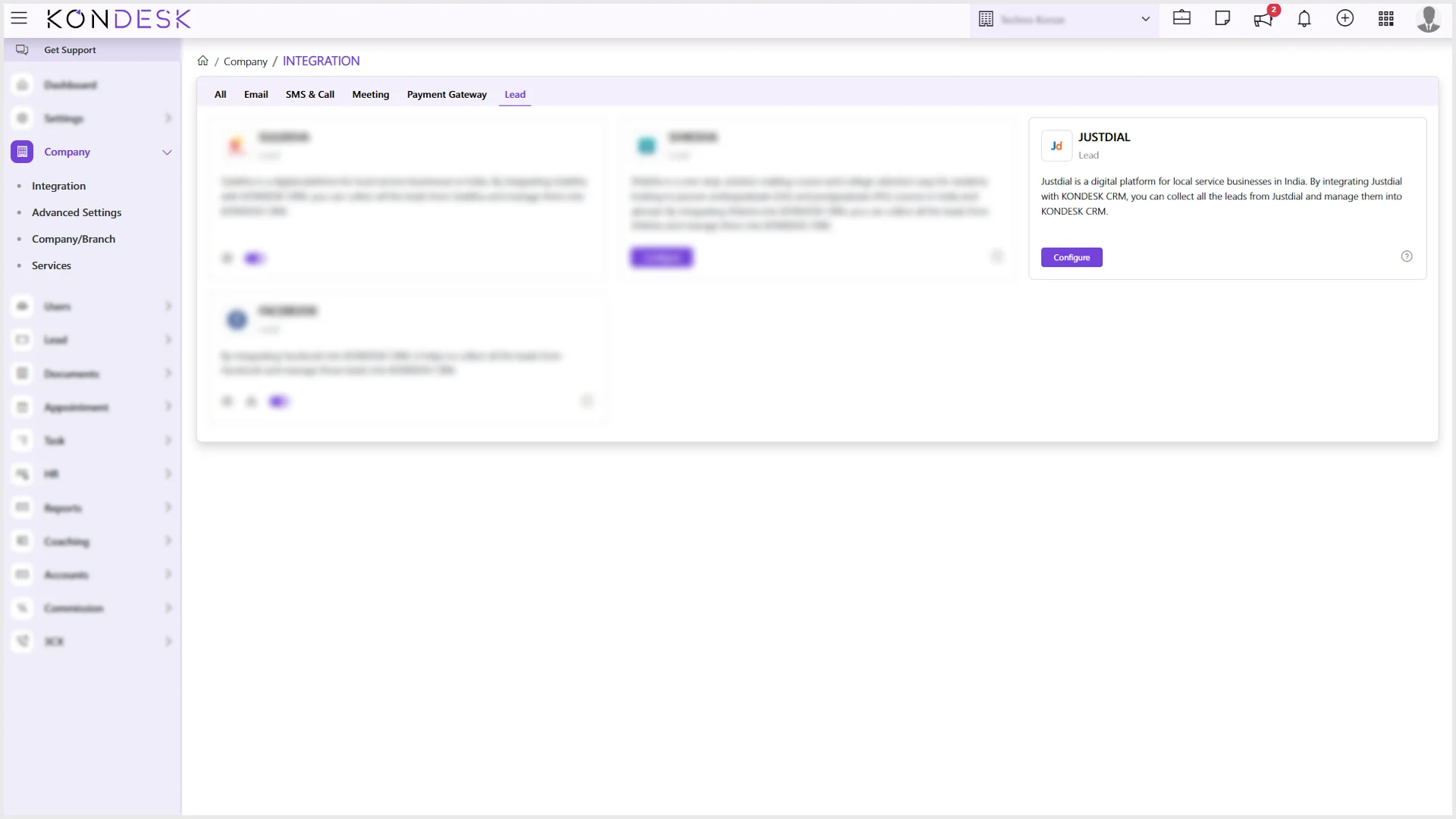
Step 1 : From the left-hand side menu, click on Company and Select Integration.
Step 2 : The system will open a card view for all the available integrations in the CRM together, and also can be viewed under their respective categories.
Step 3 : Of all the available integrations, on the JUSTDIAL Card, click on Configure.
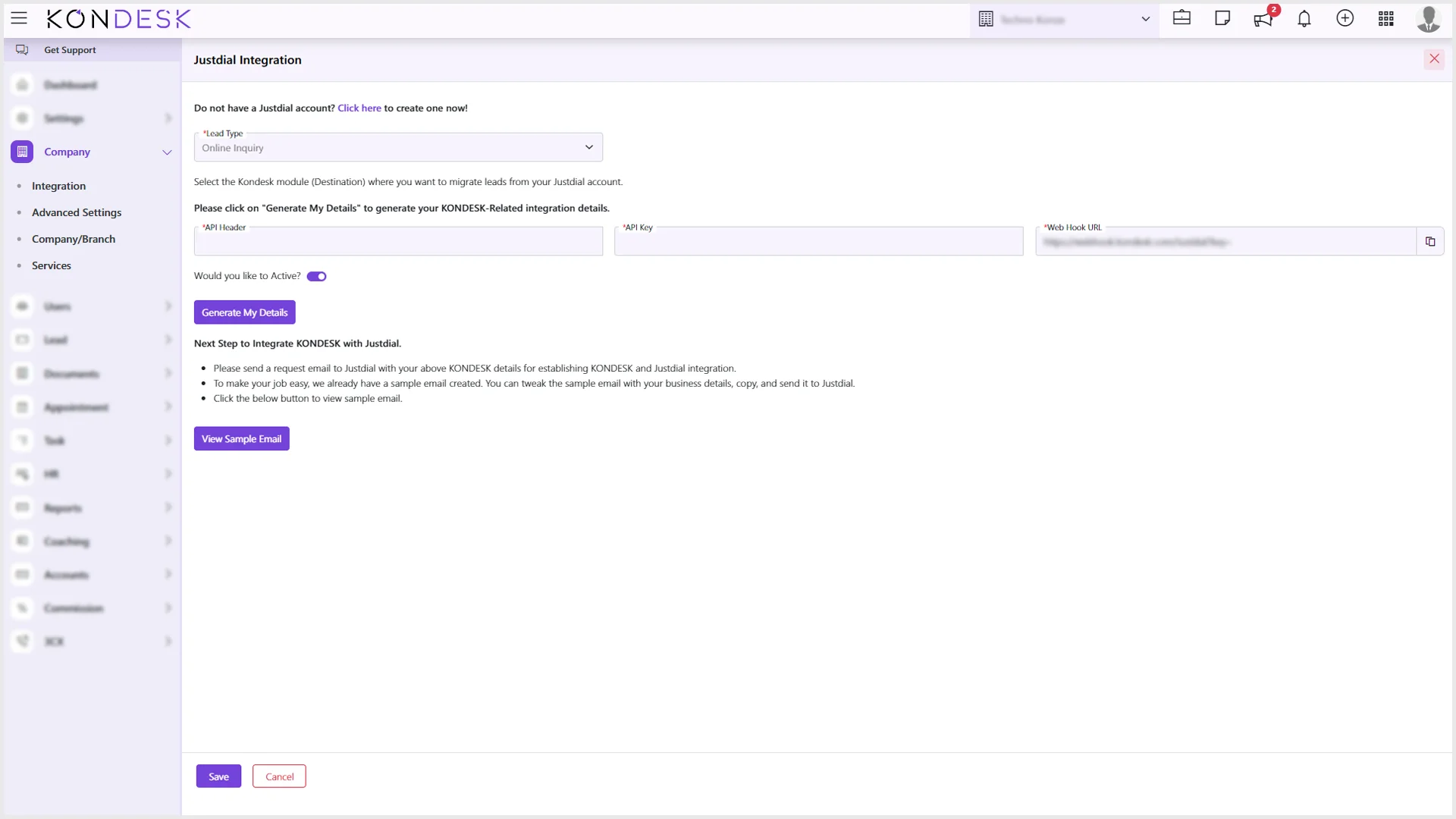
Step 4 : The system will slide in a window with the steps to integrate KONDESK with JUSTDIAL.
First, if the user doesn’t have a JUSTDIAL account, the user needs to create one before moving forward in the process.
Next, the user will have to select the Lead Type, to choose the destination to receive the leads from the JUSTDIAL account.
Then, click on “Generate My Details” to get the information like API Header, API Key, and Webhook URL.
If the user intends to keep the integration Active, the toggle button on the page must be turned on.
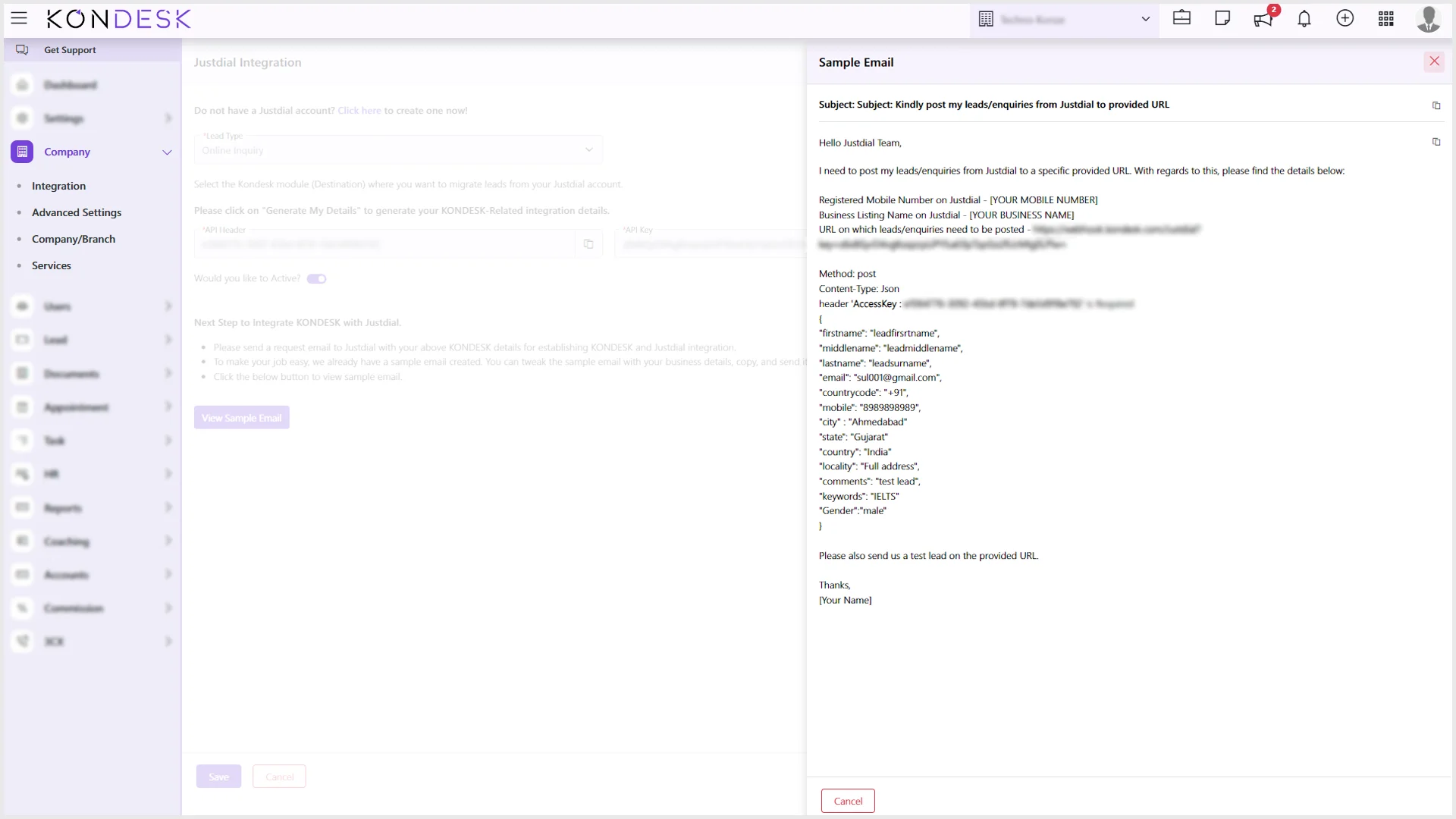
Then, the next step will require the user to send a request mail to JUSTDIAL which can be done by clicking on the“Sample Email”option.
On clicking, it opens a window with an already drafted mail, and the user needs to copy the subject and the body of the mail and paste it.
Before hitting send, the user needs to tweak the copied email by providing their registered mobile number, and business name and signing with their name at the end.
Finally, click onSave.
Step 5 : Once the integration is activated, the users will be able to see the leads in the selected destination with JUSTDIAL mentioned as the lead source.
Servetel is a cloud communication provider enabling the communication between the business and the customer effortless, stable, and credible with just a single click.
The integration of Servetel with KONDESK CRM will let the agents reach out to their clients from the CRM itself without any hassle and would also be able to track and log the call details for future reference.
Step 1: From the KONDESK dashboard page, click on Company and Select Integration.
Step 2: The system will open a card view with all the available integrations in the CRM together, and also can be viewed under their respective categories.
Step 3: Of all the available integrations, on the SERVETEL Card, click on Configure.
Step 4: The system will open a window to set up the Servetel call by either entering the token or the Servetel login account’s email and password.
Step 5: Next, the user can toggle on or off the Active button and click on Save.
Step 6: If the user toggles on the button, the user activates the feature, enabling calling by a single click on the number directly from the lead list page.
Step 7: All the details of the calls generated for a particular lead are captured under Lead Code > Communication > Call & log > Servetel.

 ⇄
⇄