It is a payment gateway that is built to cater to the different business payment needs for businesses operating in India.
The integration of Cashfree with KONDESK will help receive payments easily for all the services provided to the clients in India.
Step 1 : Setting up/ Editing of Bank Account
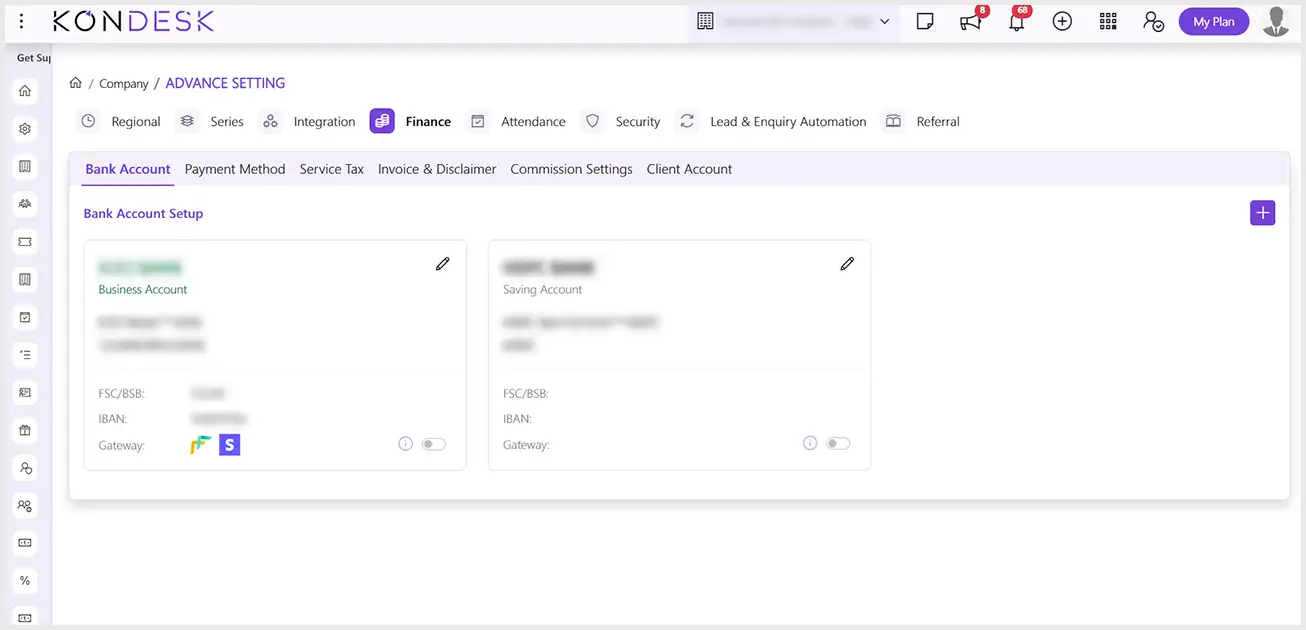
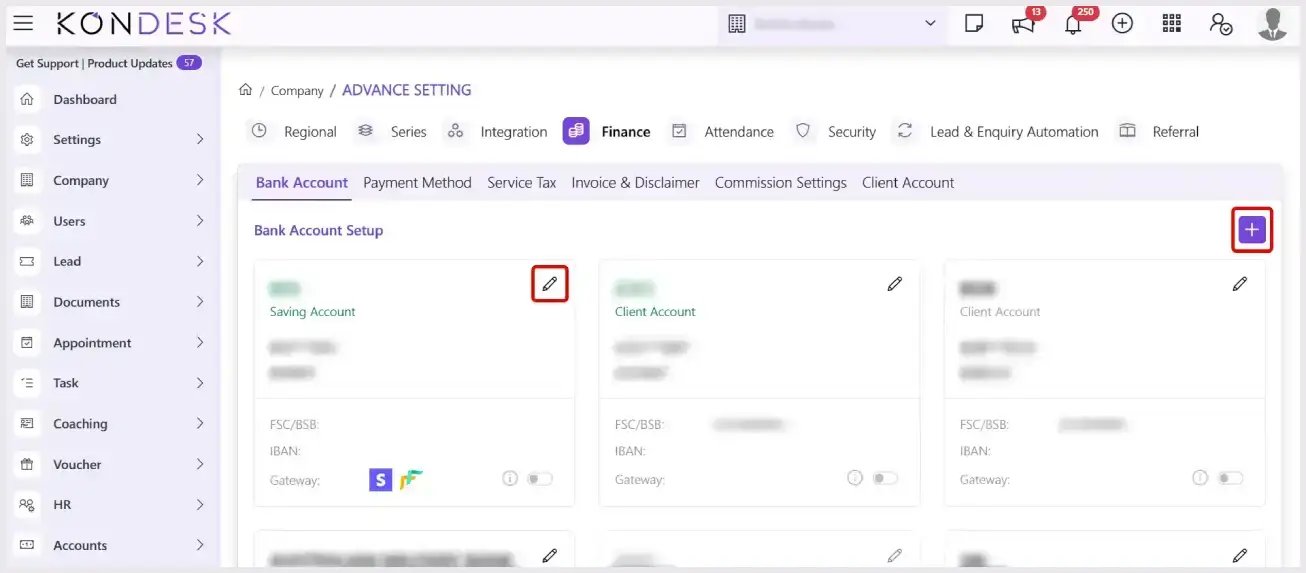
Step 1.1 : From the KONDESK menu bar, Click on Company and select Advanced Settings.
Step 1.2 : On the Advanced settings page, go to the Finance Tab.
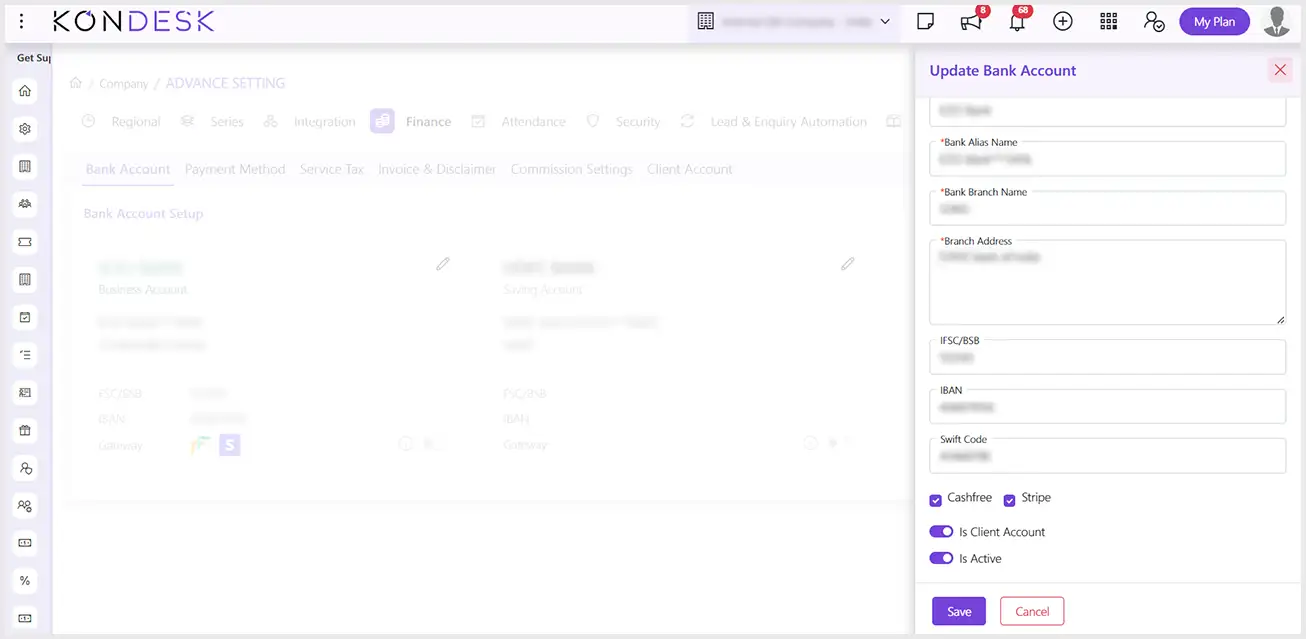
Step 1.3 : To set up a new Bank account, click on the Add button, and for updating an already existing bank account click on the Edit button.
Step 1.4 : The system will open the Add Bank Account box, fill in the required details, check the CASHFREE box, and click on Save to configure CASHFREE successfully in the future.
Step 2 : Setting up the Disbursement Account
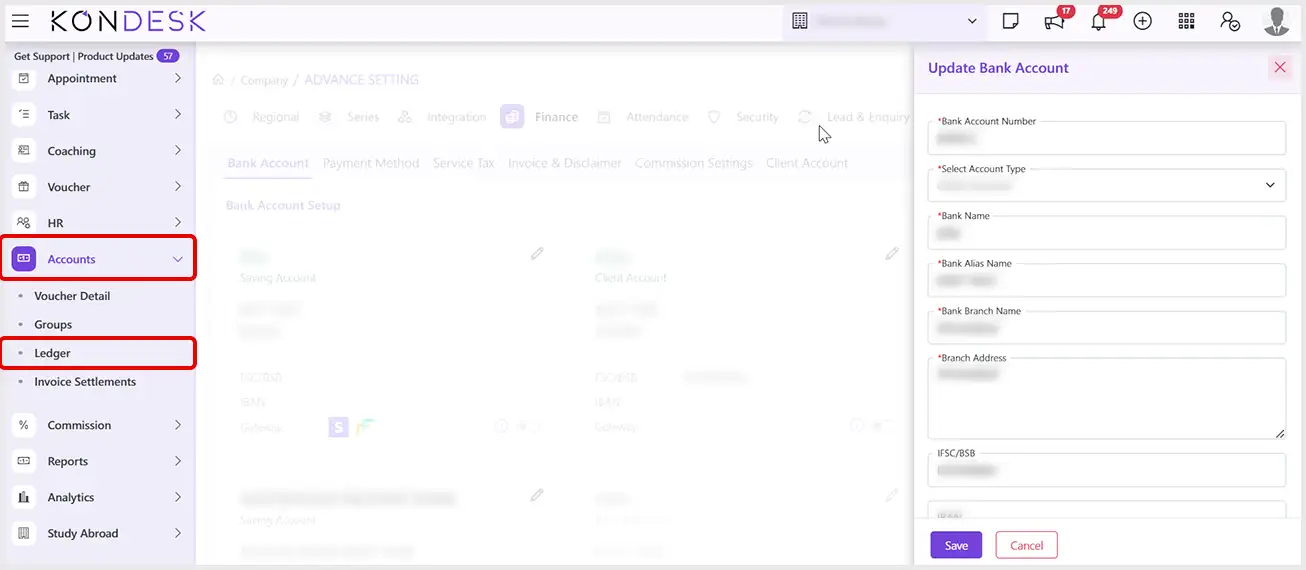
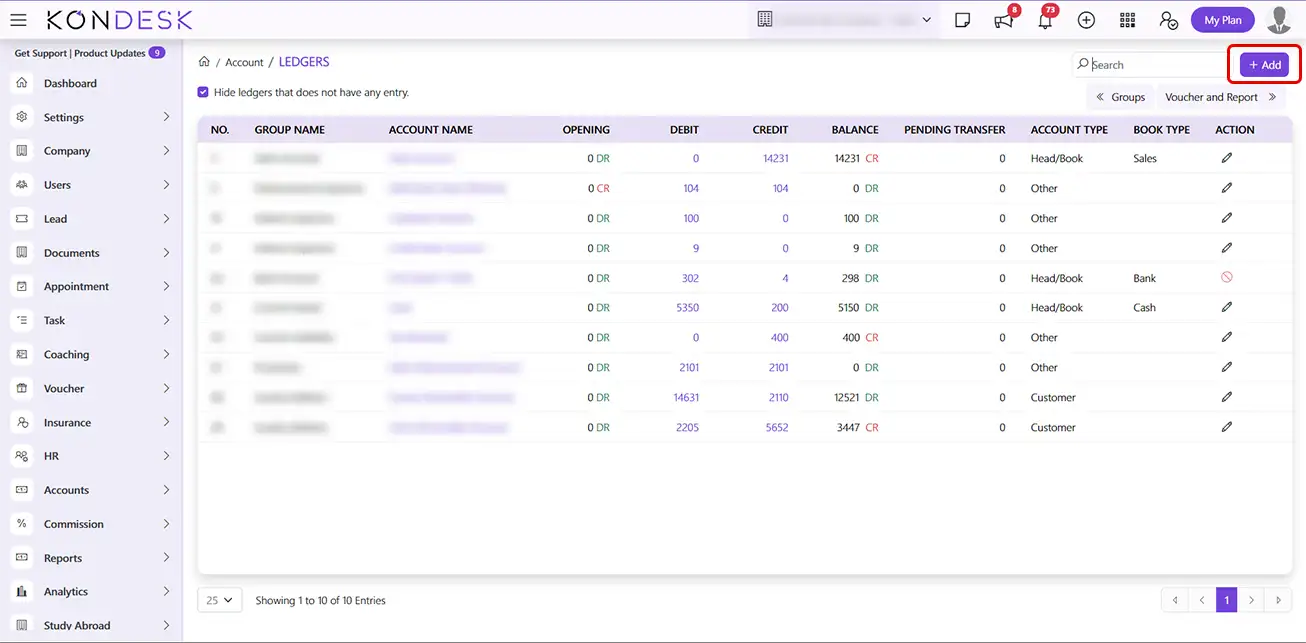
Step 2.1 : From the KONDESK menu bar, Click on Accounts and click on Ledger.
Step 2.2 : Click on the Add button to add a new bank account to configure with the respective payment gateway.
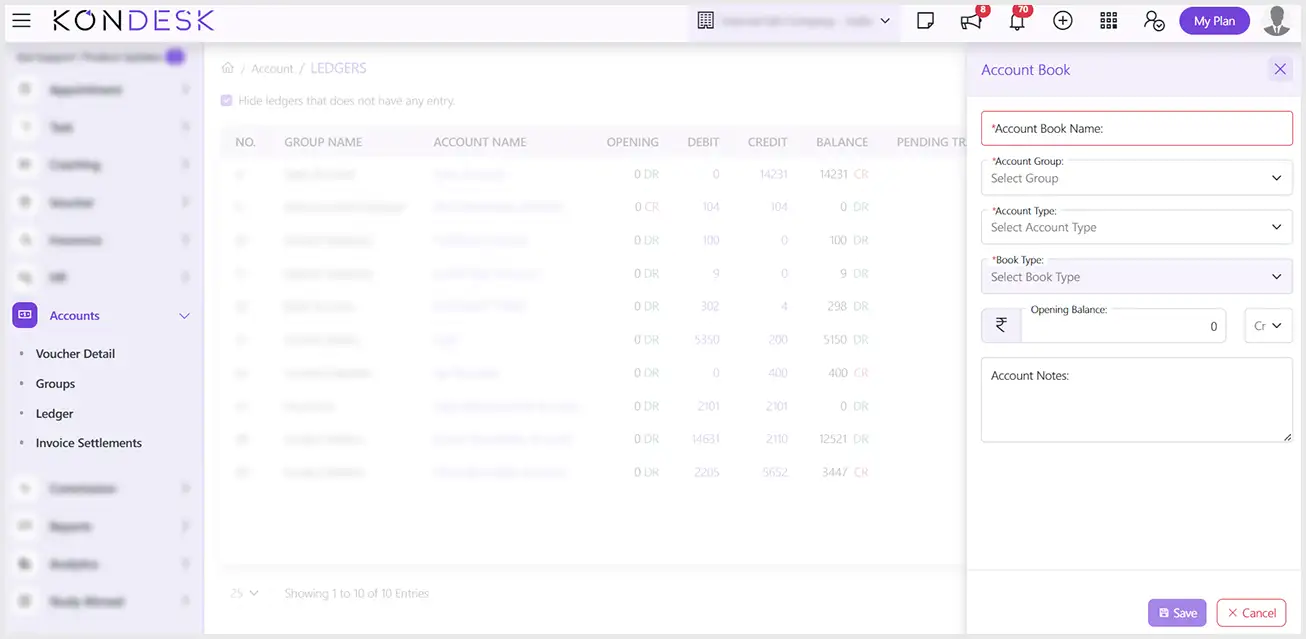
Step 2.3 : In the Account Book window, fill in the required details, select the Account Group according to the requirement of the gateway, and click on Save.
Step 2.4 : If you already have a Disbursement account, select that account while configuring CASHFREE
Step 3 : Configuration of CASHFREE
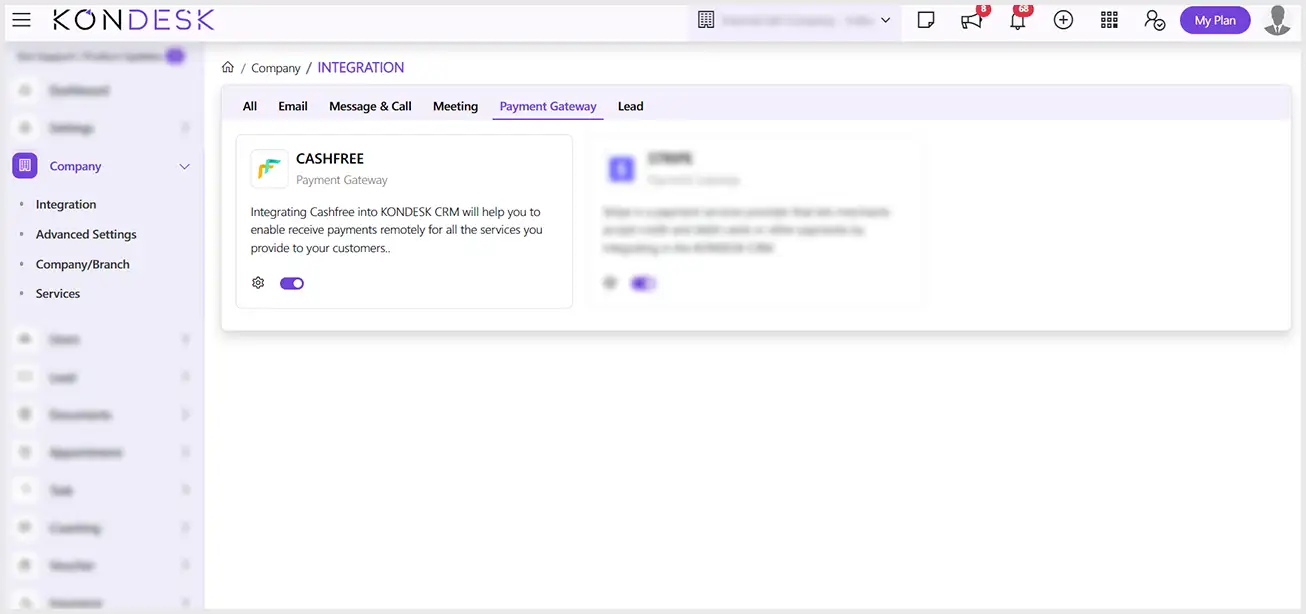
Step 3.1 : From the KONDESK dashboard page, click on Company and Select Integration.
Step 3.2 : Of all the available integrations, on the CASHFREE card, click on the configure button.
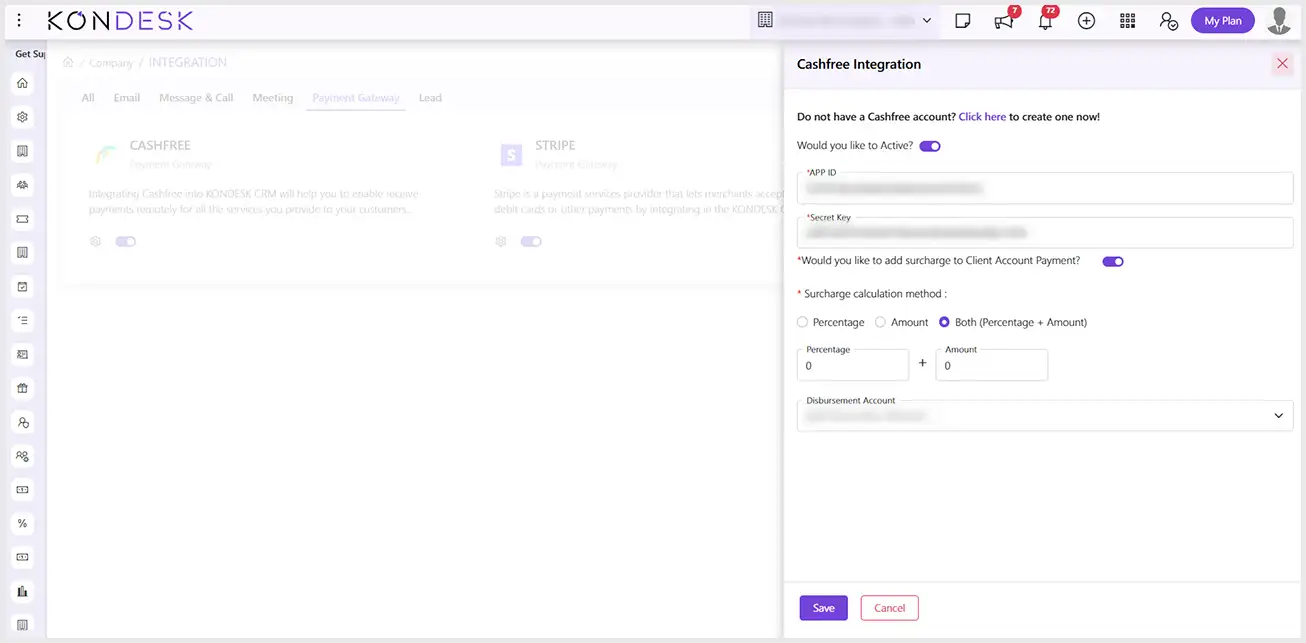
Step 3.3 : The system will open a window to toggle on the Active button, and enter the APP ID, Secret key and click on Save.
Note : You can find the APP ID and secret key in your Cashfree account under Developers > API Keys. Follow (API Key) to get detailed steps to access the required keys to configure successfully.
Step 3.4 : The option to choose Cashfree as a payment method will be available when the clients open the link sent to make the payment.
Note : Cashfree option will be available if payment is made in Indian Currency

 ⇄
⇄