Drag

Phone Link

Phone Link

⇄

Microsoft Phone Link is a tool that allows you to call leads directly from KONDESK CRM with ease and convenience.
Deployment Type
Kondesk Platform
Published Date
July 22, 2025
Category
Message & Call
Support Requests
We are excited to introduce our integration with the Microsoft Phone Link application, enabling you to directly call your leads from the CRM by seamlessly connecting your Android or iPhone to your Windows PC.
Note: This application is supported only on Windows operating systems and is not compatible with macOS or other platforms.

Step 1 : On your Windows PC, open the Phone Link app (search in Start menu).
Step 2 : Download the Link to Windows Application on your Mobile phone.
Step 3 : Sign in with your Microsoft account on both devices.
Step 4 : Follow the QR code scanning or manual pairing instructions to link your phone and PC. Once paired, your phone connects via Bluetooth.
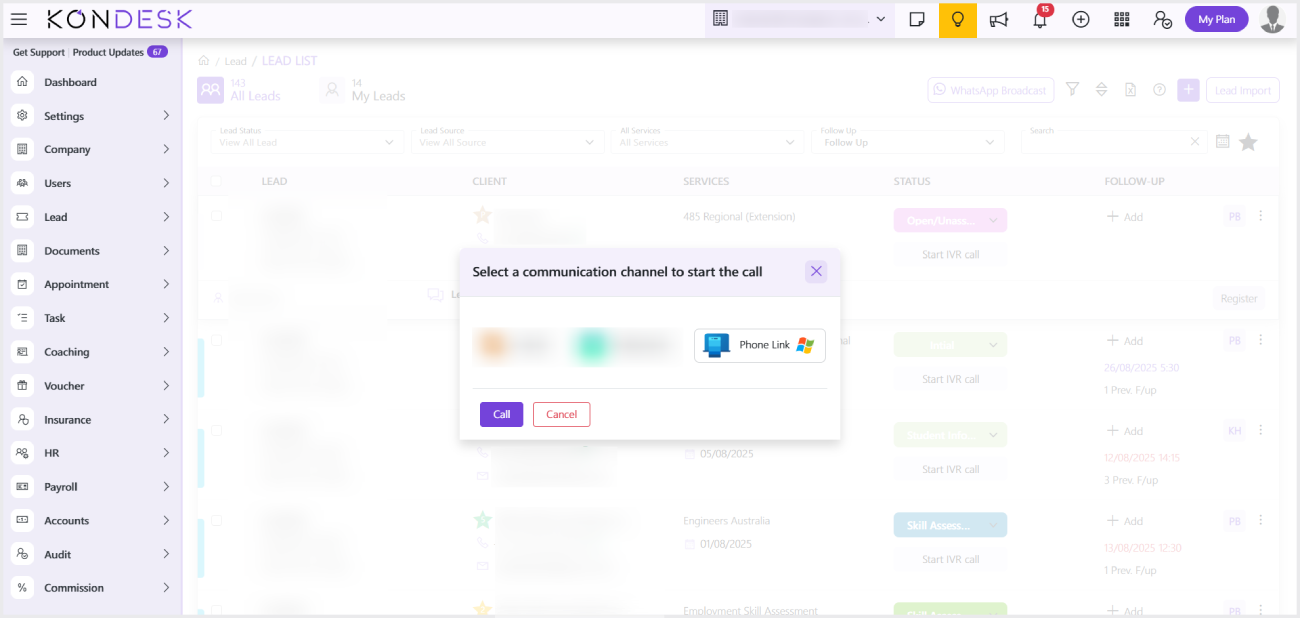
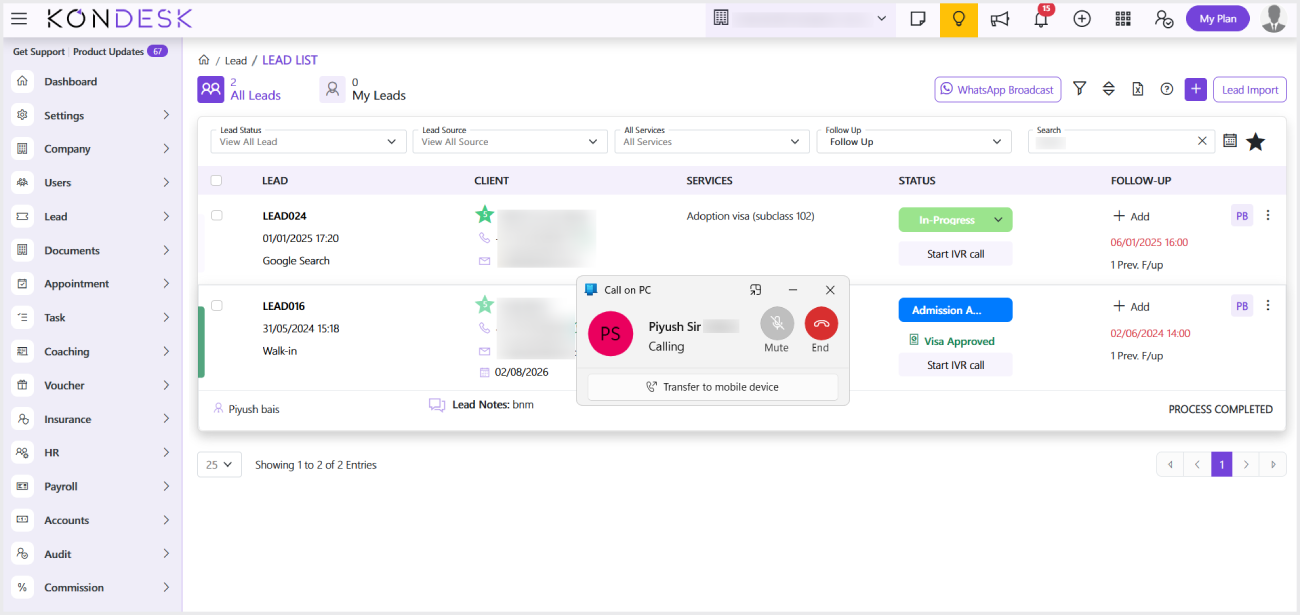
Step 5 : On the Lead List page, click on the Lead’s Phone number, then select Phone Link. This will open the Phone Link interface, where a call can be initiated. Your phone handles the call, but you speak and listen using your PC’s microphone and speaker or headset.

Note : Bluetooth must be enabled on both devices for calling features.

This application is supported only on Windows operating systems and is not compatible with macOS or other platforms.