This platform aims to streamline the process of lead management, improve operator efficiency, and enhance lead conversion rates.
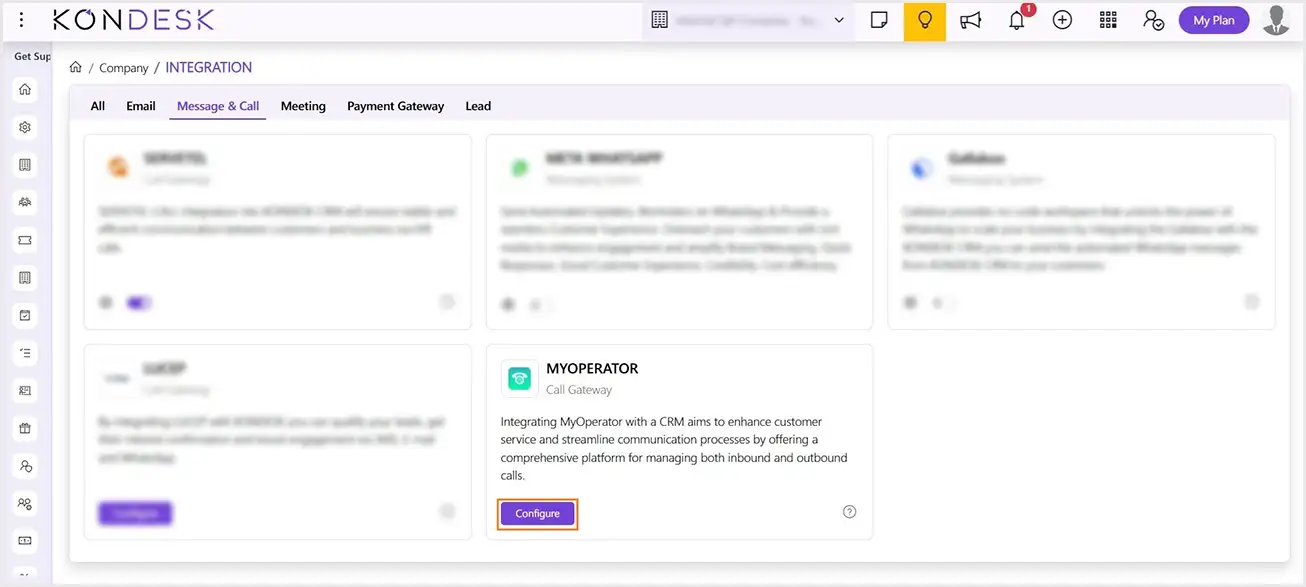
Step 1 : To integrate the My Operator, Log into KONDESK CRM and go to Company Integration.
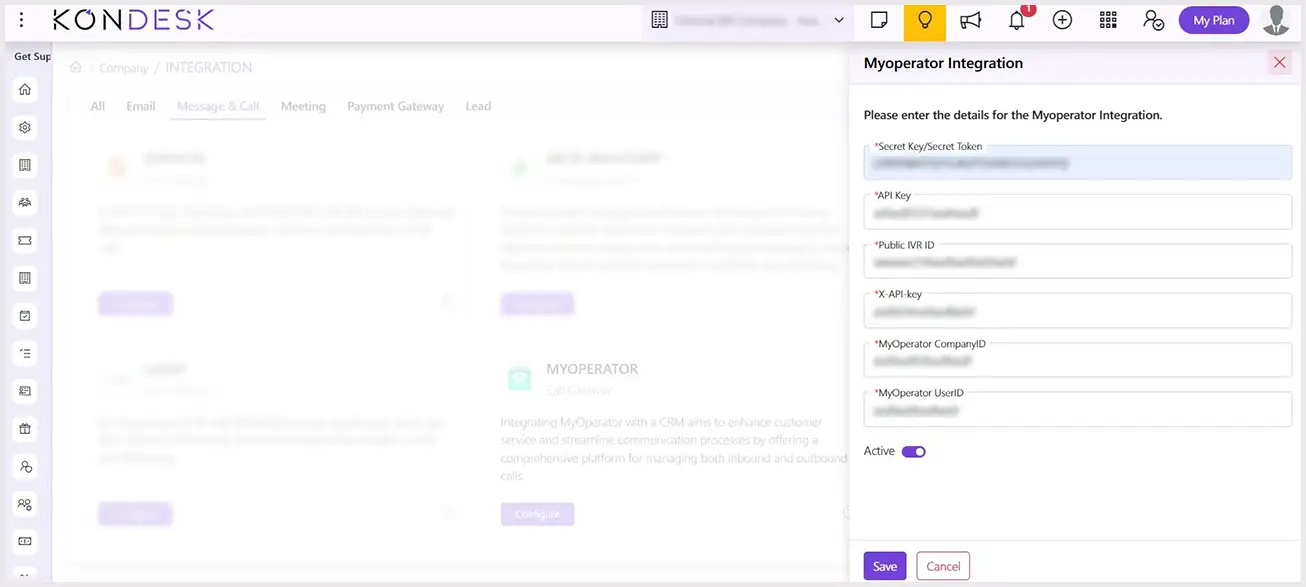
Step 2 : Go to “Message & Call” section and click on Configure button and fill the below details:
Secret Key / Secret Token
API Key
Public IVR ID
X-API-Key
My Operator Company ID
My Operator User ID
Note: After subscribing to “My Operator,” you will receive the mentioned details, which need to be filled in during the integration with KONDESK CRM. If you have already account of “My Operator” you can directly fill the above details.
Step 3 : After filling the details, use the Toggle button to activate the “My Operator” integration.
Step 4 : Click on Save button save the details.
To discard the action, click on Cancle button.
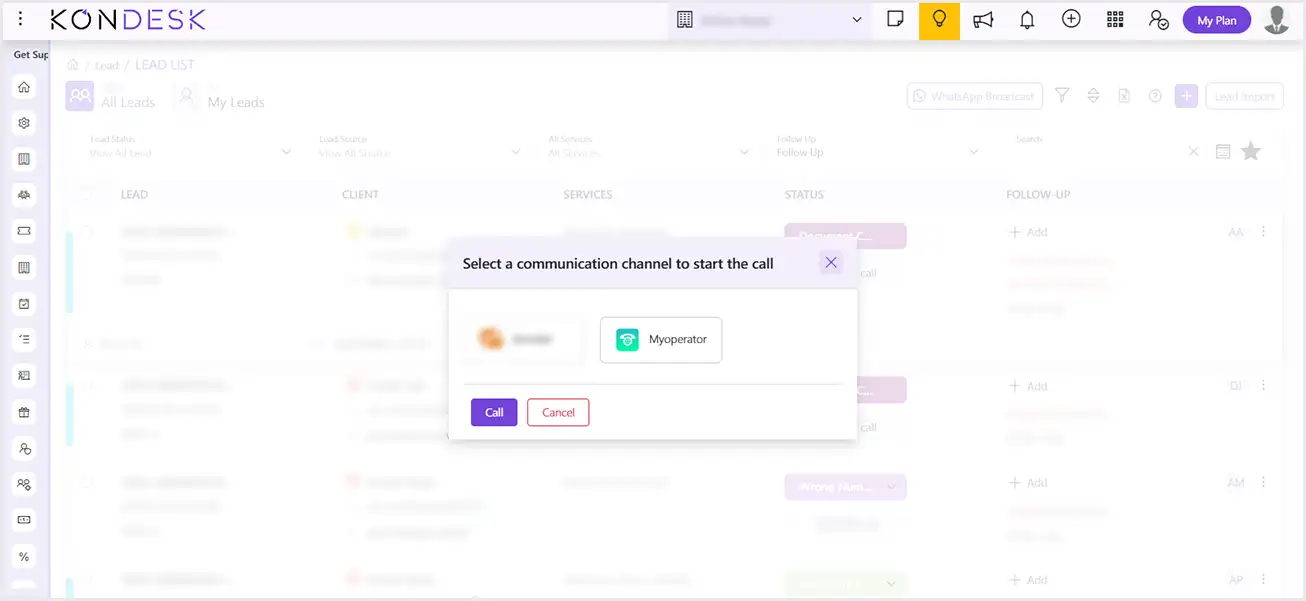
Step 5 : Once you activate this integration, you can initiate call with a single click directly from lead list page. By clicking on contact number of lead, system will display below popup window. Click on Call button, to start the call.
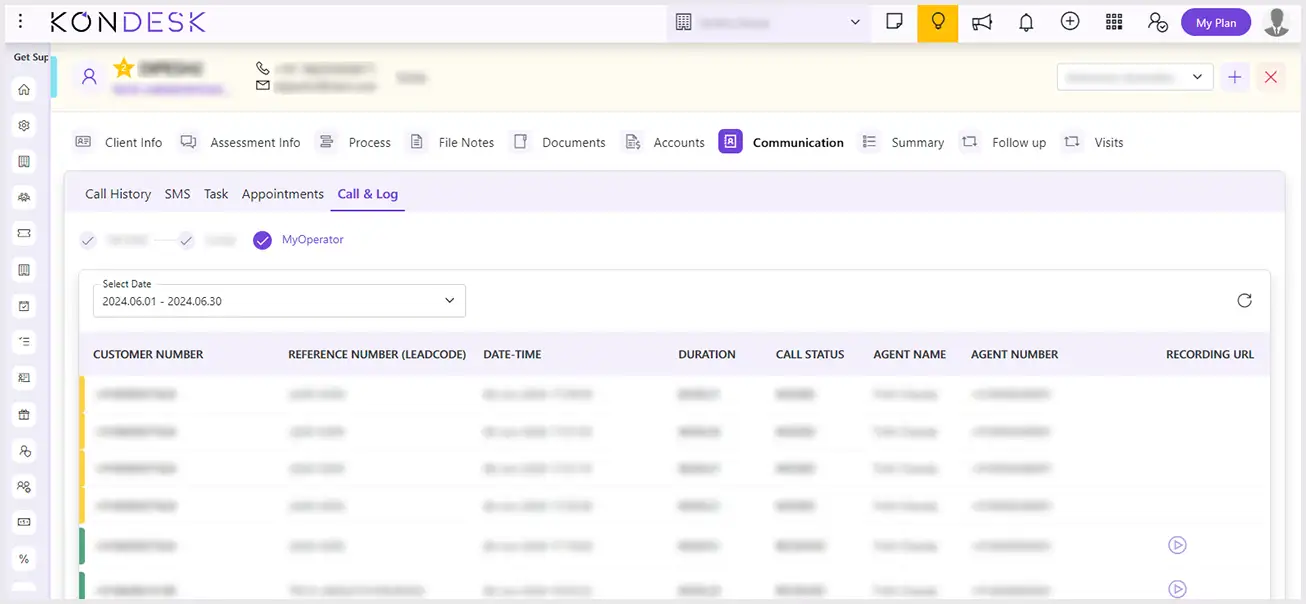
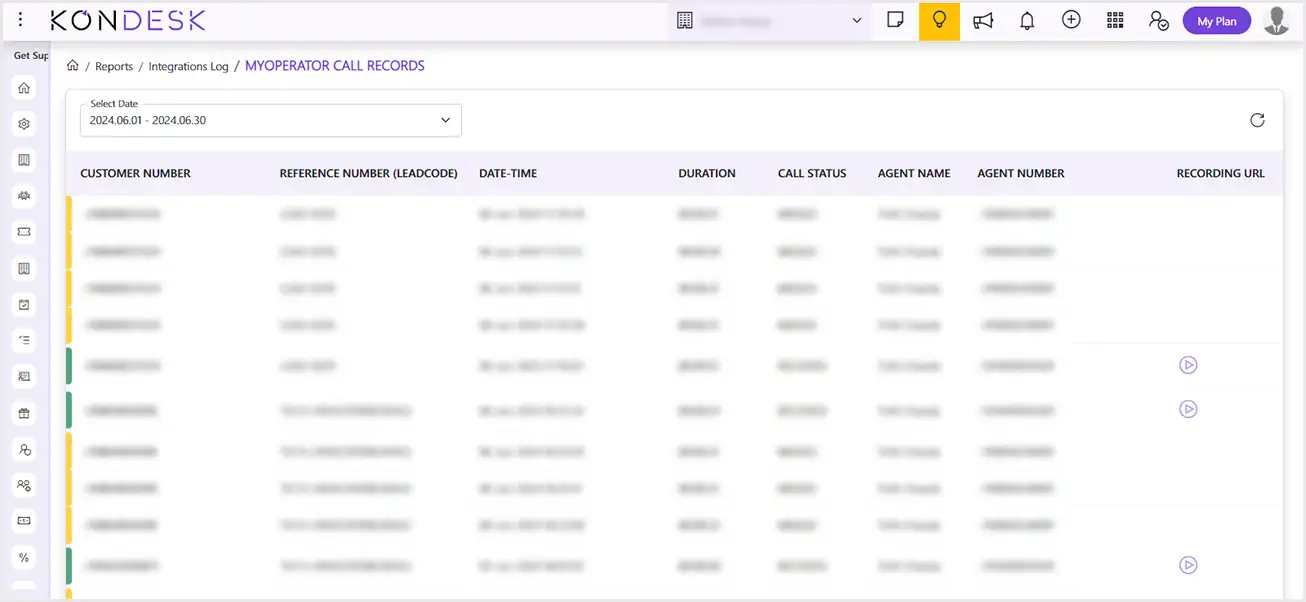
Step 6 : You can view the call from Reports Integration My Operator Call Logs as well as in Lead Details Communication Call & Log.
 ⇄