It is a payment solution that enables easy online payments for businesses globally.
The integration of STRIPE with KONDESK brings the opportunity to receive payments with multiple methods directly from the CRM.
Step 1 : Configuration of Stripe
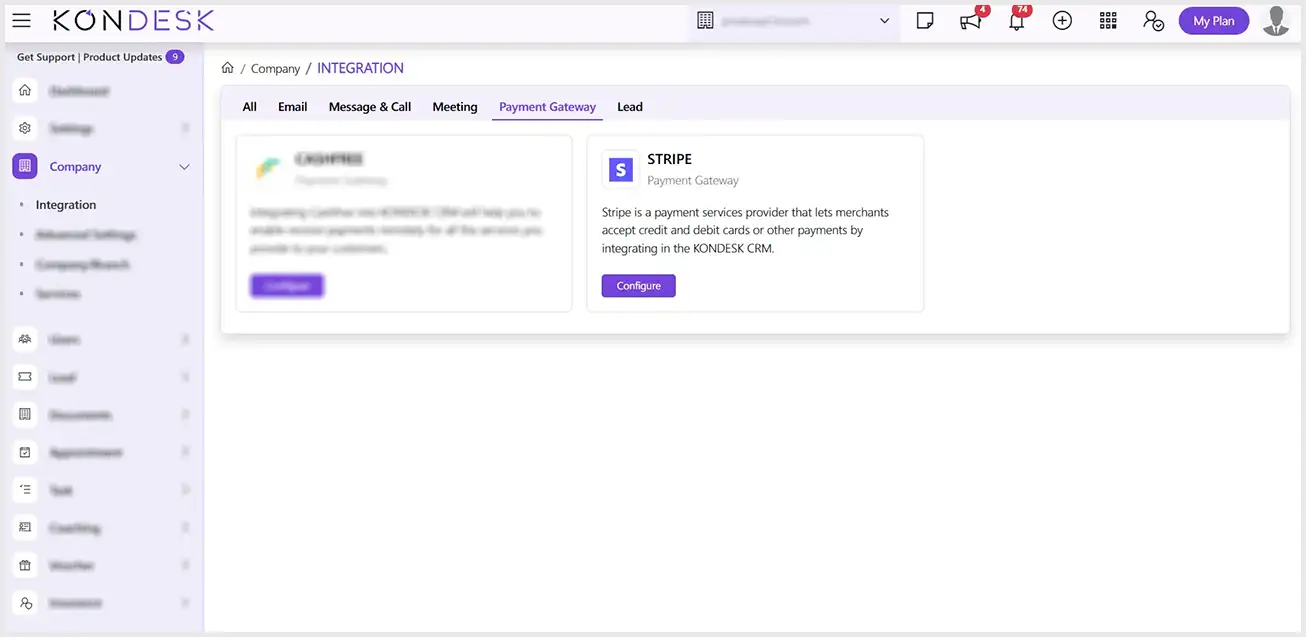
Step 1.1 : From the KONDESK dashboard page, click on Company and Select Integration.
Step 1.2 : Of all the available integrations, on the STRIPE card, click on the configure button.
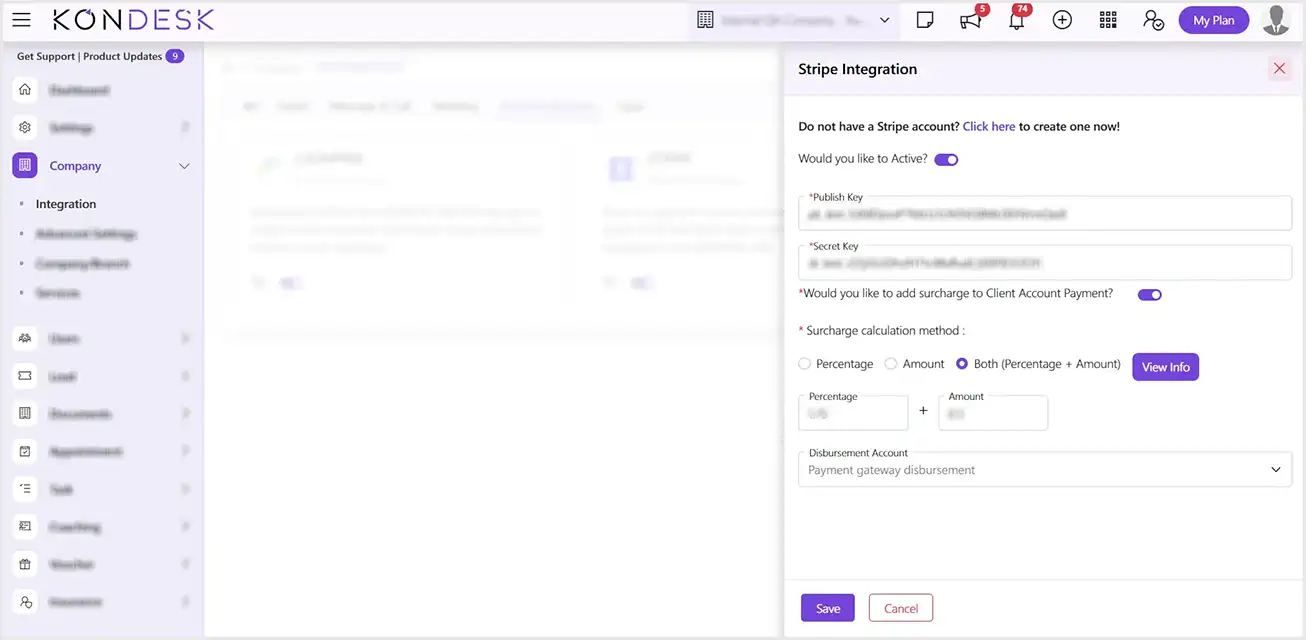
Step 1.3 : The system will open a window to Activate the Payment Gateway settings, enter the Publish key and Secret Key, and turn on the Toggle to add the Surcharge to Client Account Payment and select the Surcharge calculation method. (NOTE: You can find both the keys in your Stripe Account under Developers > API Keys)
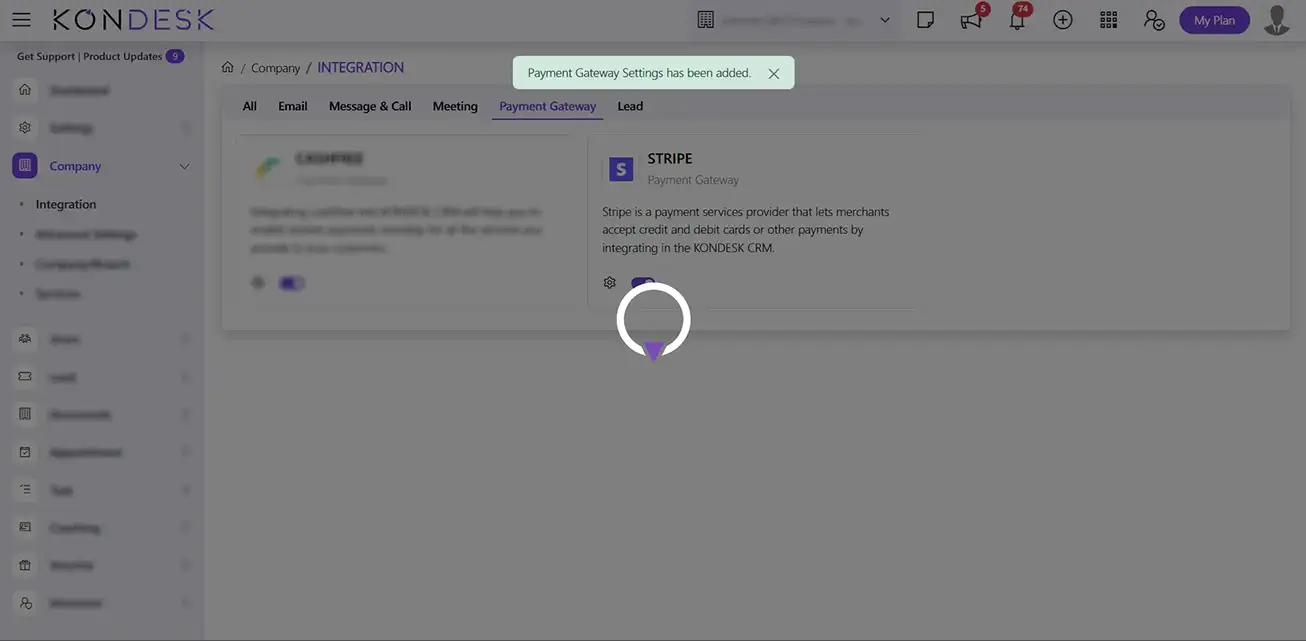
Step 1.4 : Select the Disbursement account and click on Save to successfully save the Payment settings.
Step 2: Setting up of the Disbursement Account
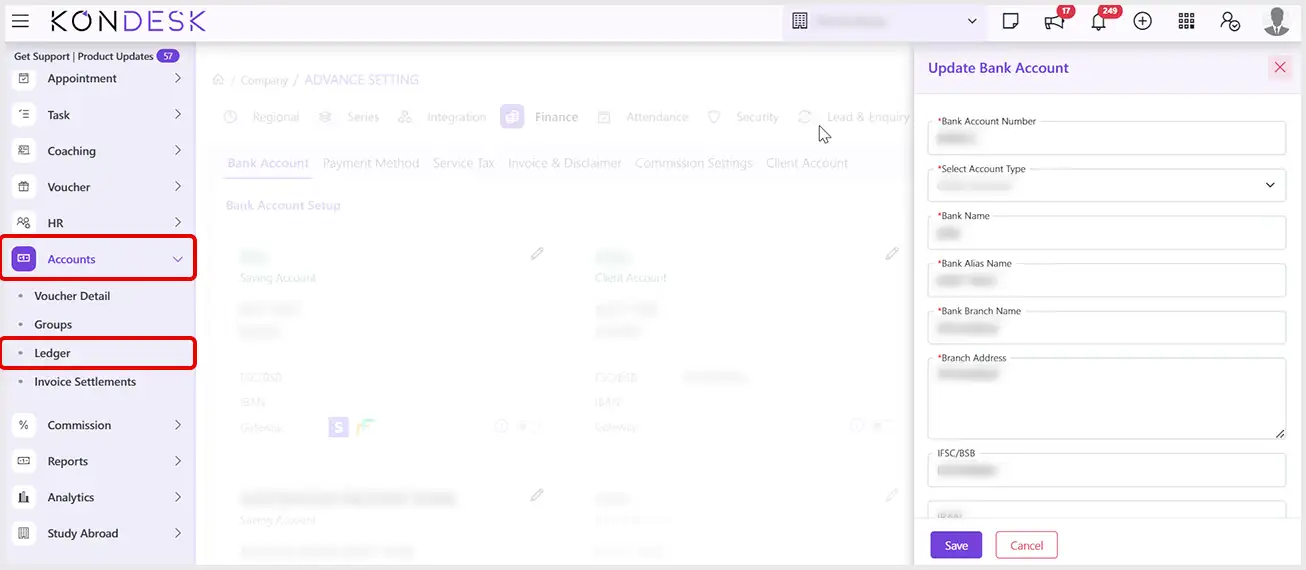
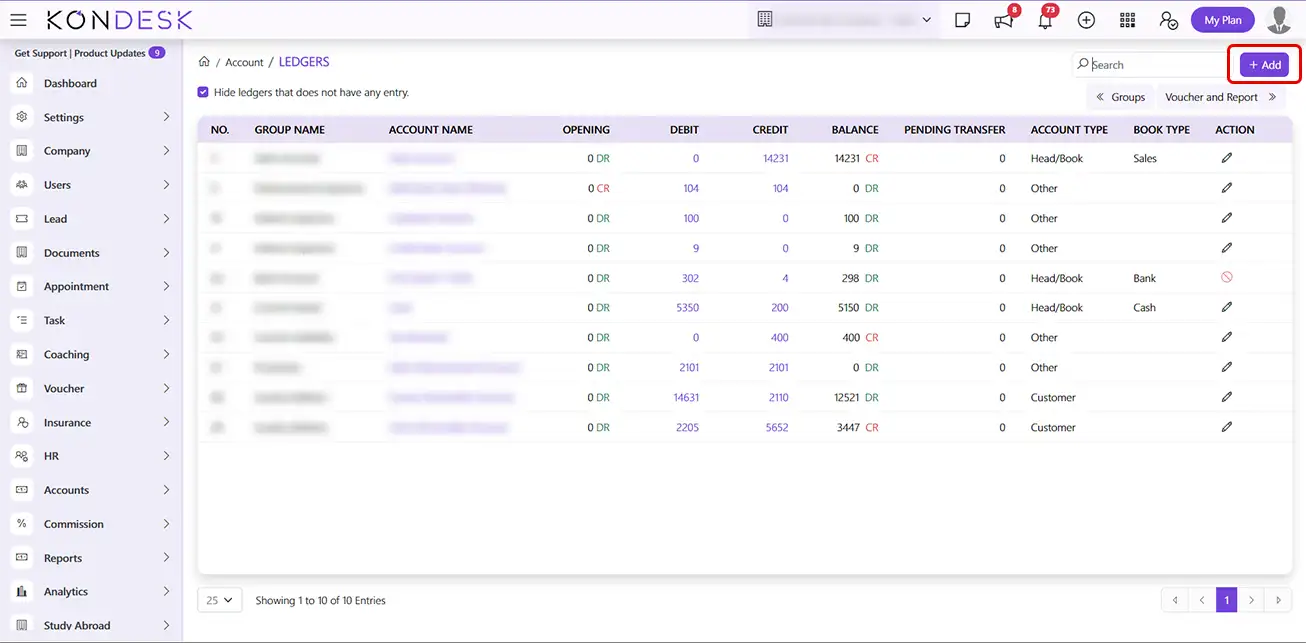
Step 2.1 : From the KONDESK menu bar, Click on Accounts and click on Ledger.
Step 2.2 : Click on the Add button to add a new bank account to configure with the respective payment gateway.
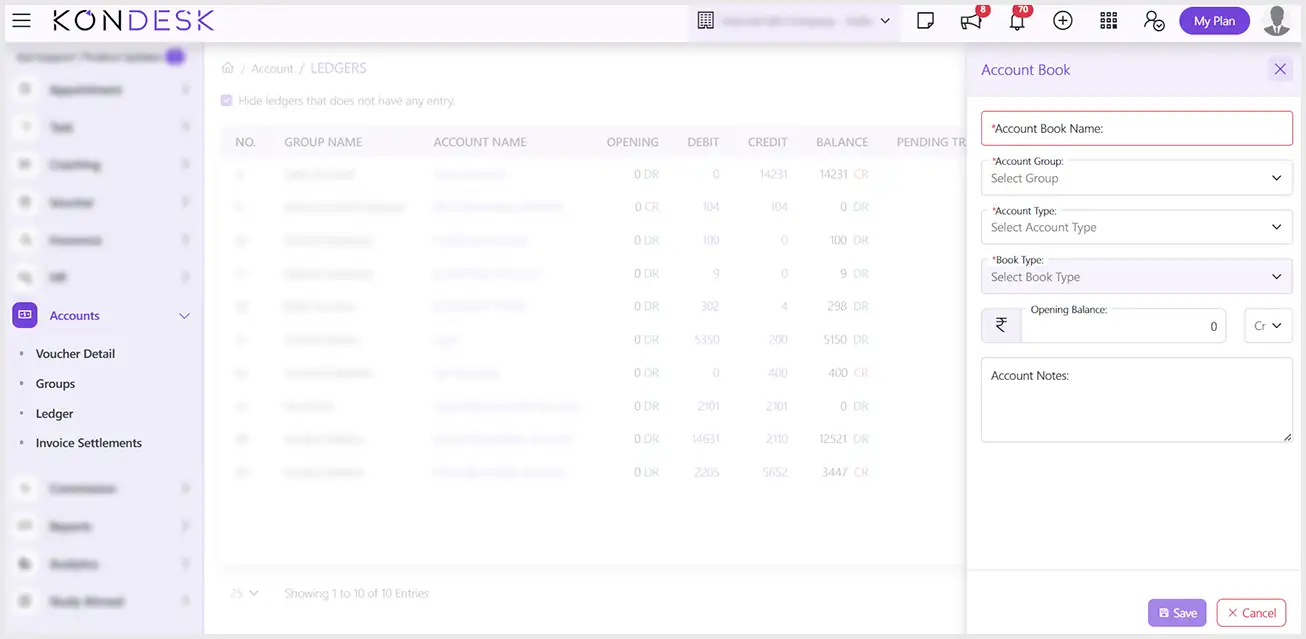
Step 2.3 : In the Account Book window, fill in the required details, select the Account Group according to the requirement of the gateway, and click on Save.
 ⇄