Gallabox is a WhatsApp automation tool to scale your businesses through a no-code workspace.
The integration of WhatsApp with KONDESK will help you send automated messages through the CRM itself.
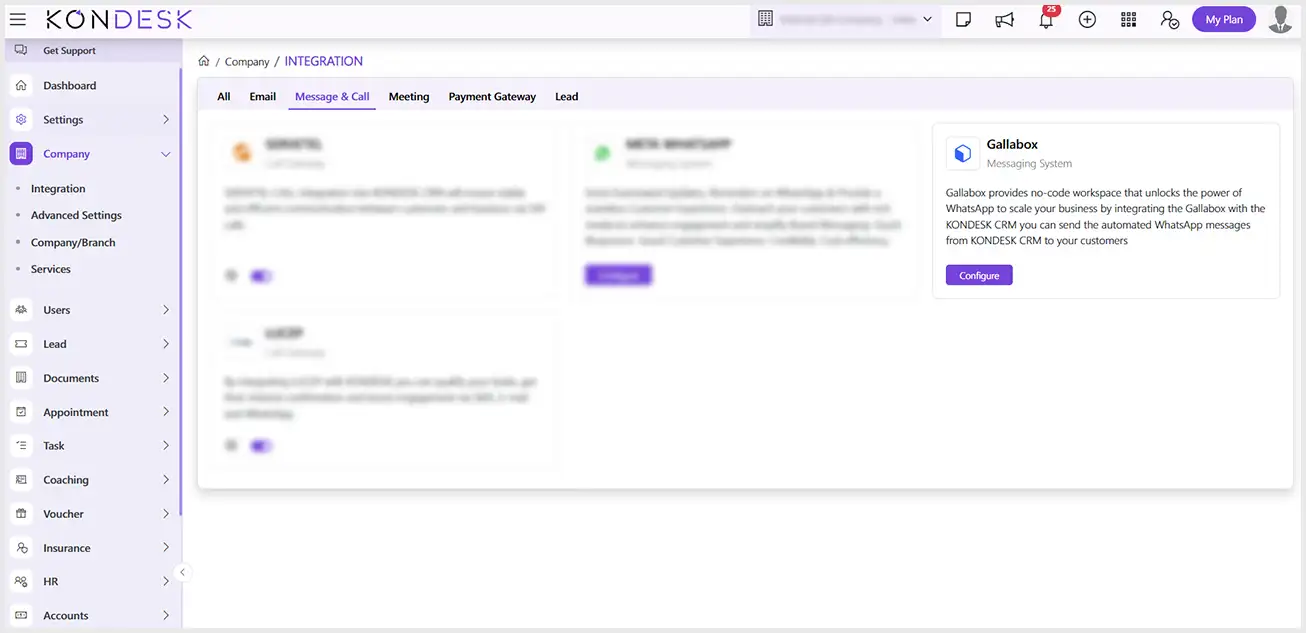
Step 1 : Go to the Company Section on the left-hand side menu and select Integration.
Step 2 : In the Integration card view, find the Gallabox card and click on Configure.
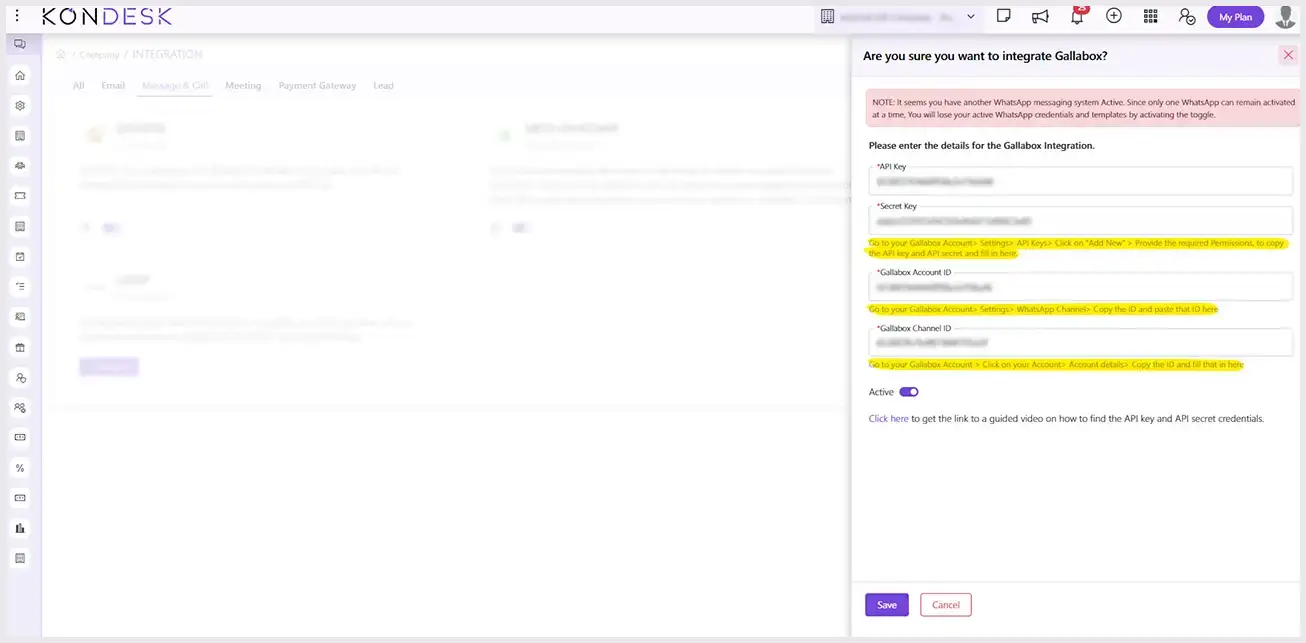
Step 3 : On the new window page, fill in the required details following the instructions mentioned for each of the fields, toggle on the Active Button, and click on Save.
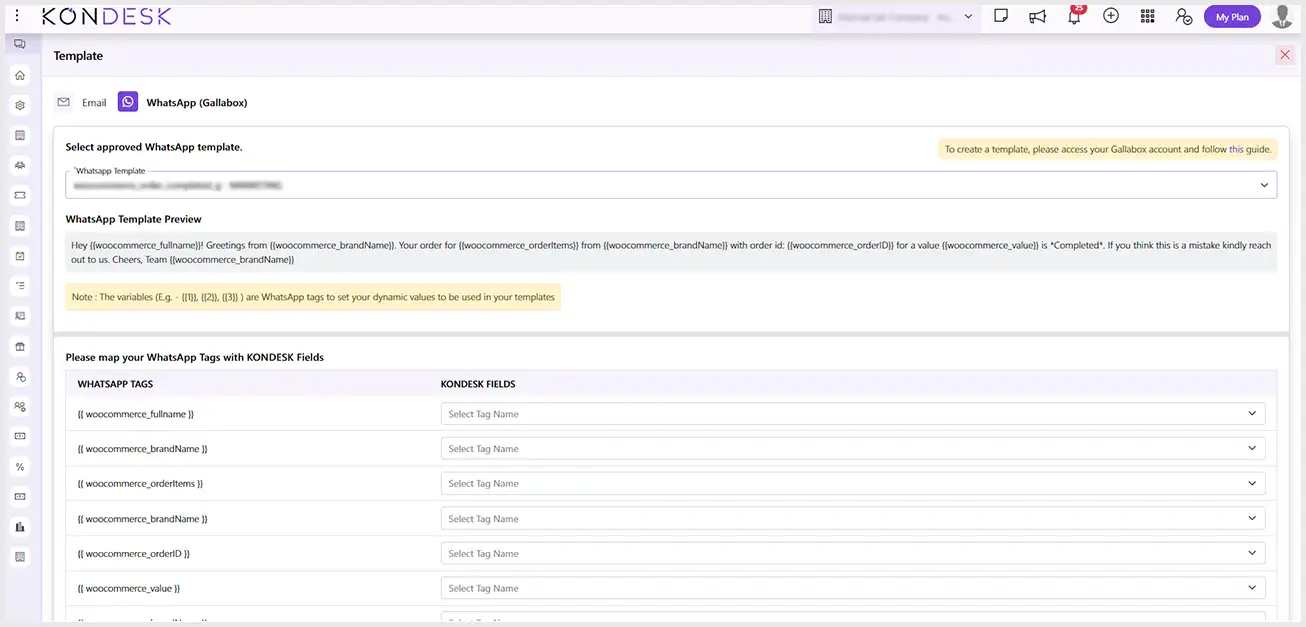
Step 4 : After configuring the integration, you will have three triggers in the Manage template section to map the WhatsApp template variable with KONDESK variables as shown in the following screenshot. Click on Edit to map the fields.

 ⇄